Explore Pick Go
A neurodiversity-first app called EPGo (Explore, Pick, GO!) that helps kids find fun places near their school with customizable color themes for colorblind users, visual icons instead of text-heavy menus, popular item previews with ingredients, bus route planning, and voice-to-text for kids with dyslexia.
Sometimes when people are colorblind they can't really see colors as well. It lets them pick what color helps them best. We put pictures next to everything so they don't have to search and do all the investigation — it helps them see what it is quickly. We also put the popular smoothies and the ingredients on them so it helps you prepare and know what to expect. Maybe if kids have dyslexia like we do, then it could read to them.
— Austin 5th Graders
Build With These Features
Here are this design's features. Tap the ones you like to add them to your build.
What is Build?
Your Build is like a wishlist — collect features from any design, then share your ideal combo.
Design Screens
1 / 5
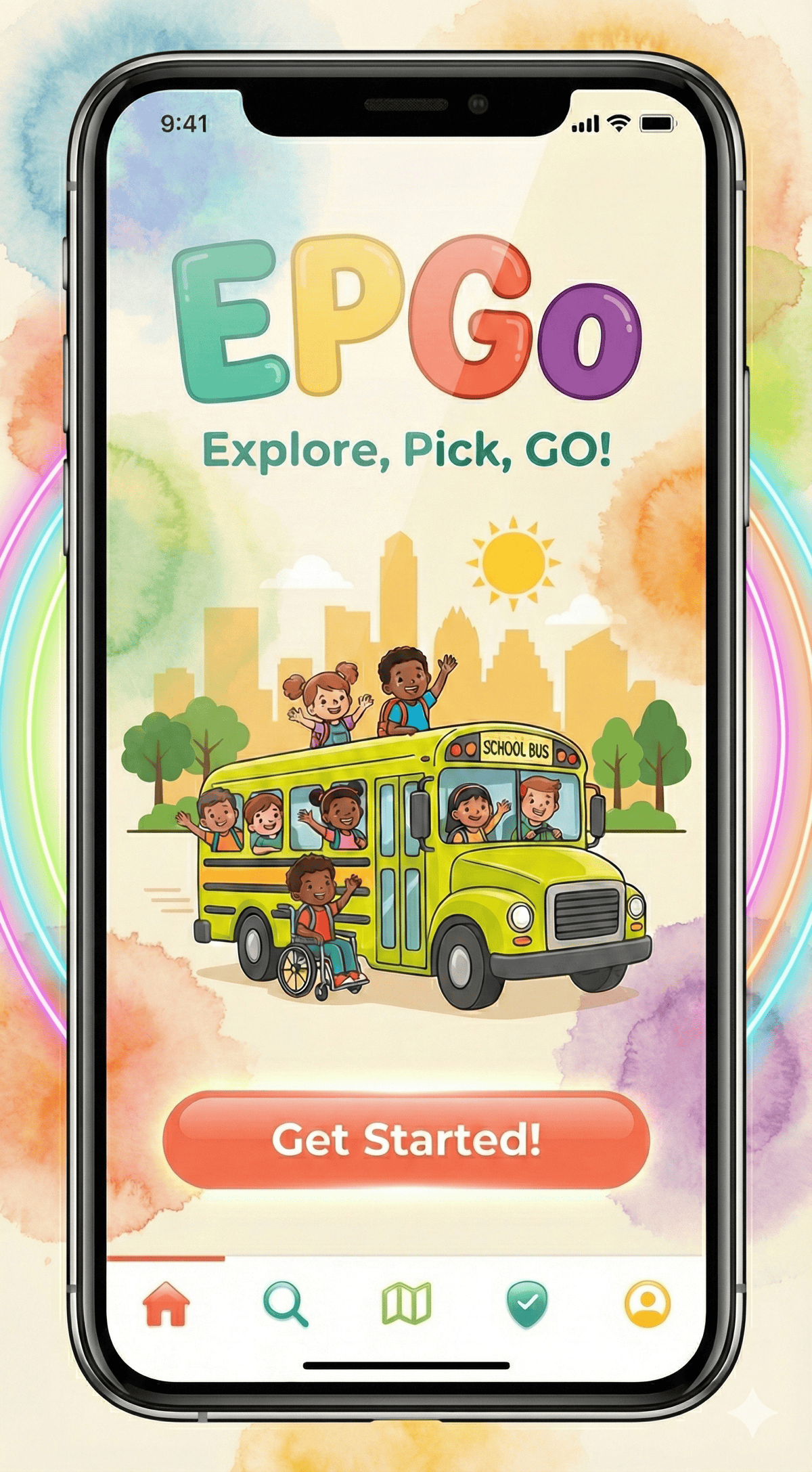
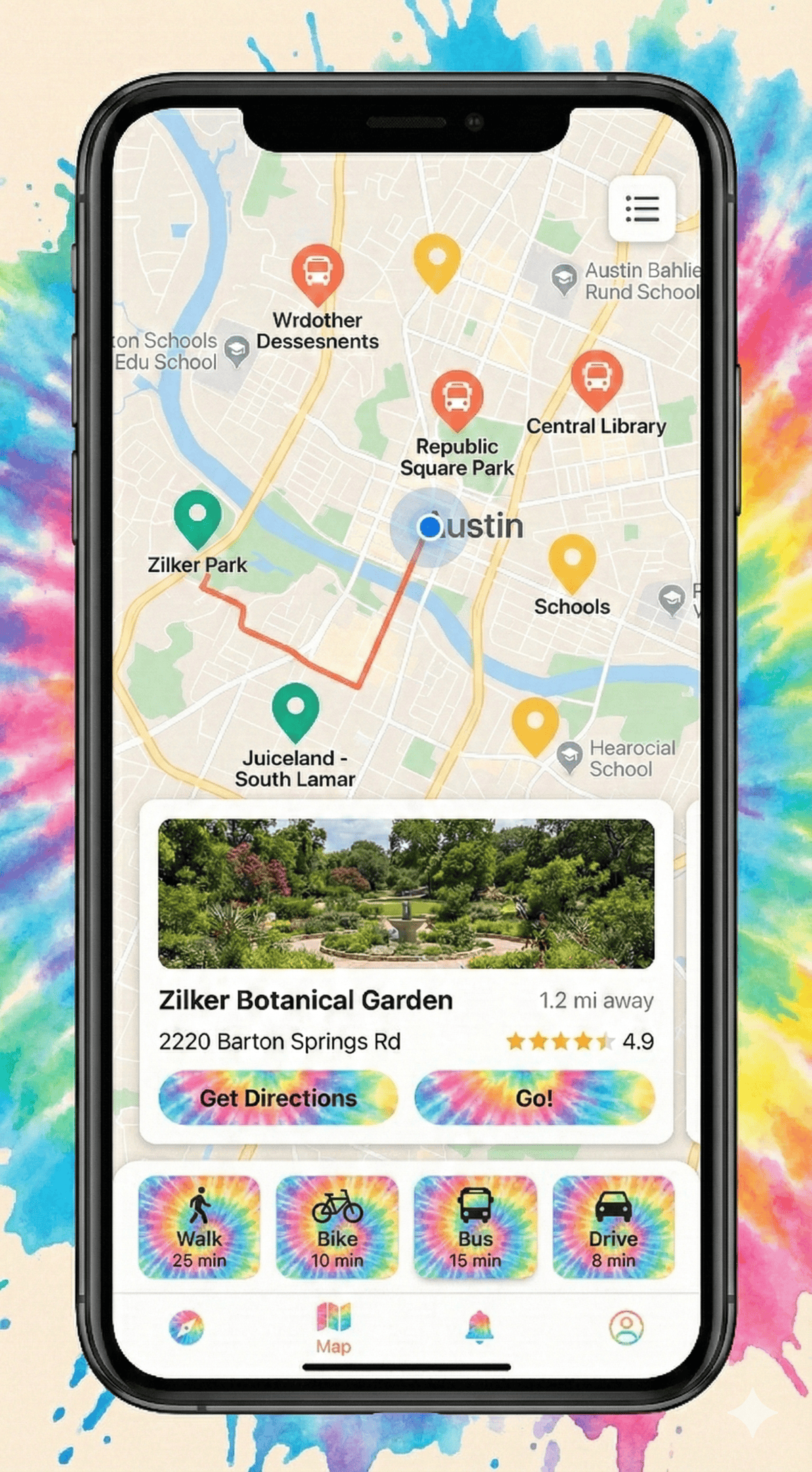
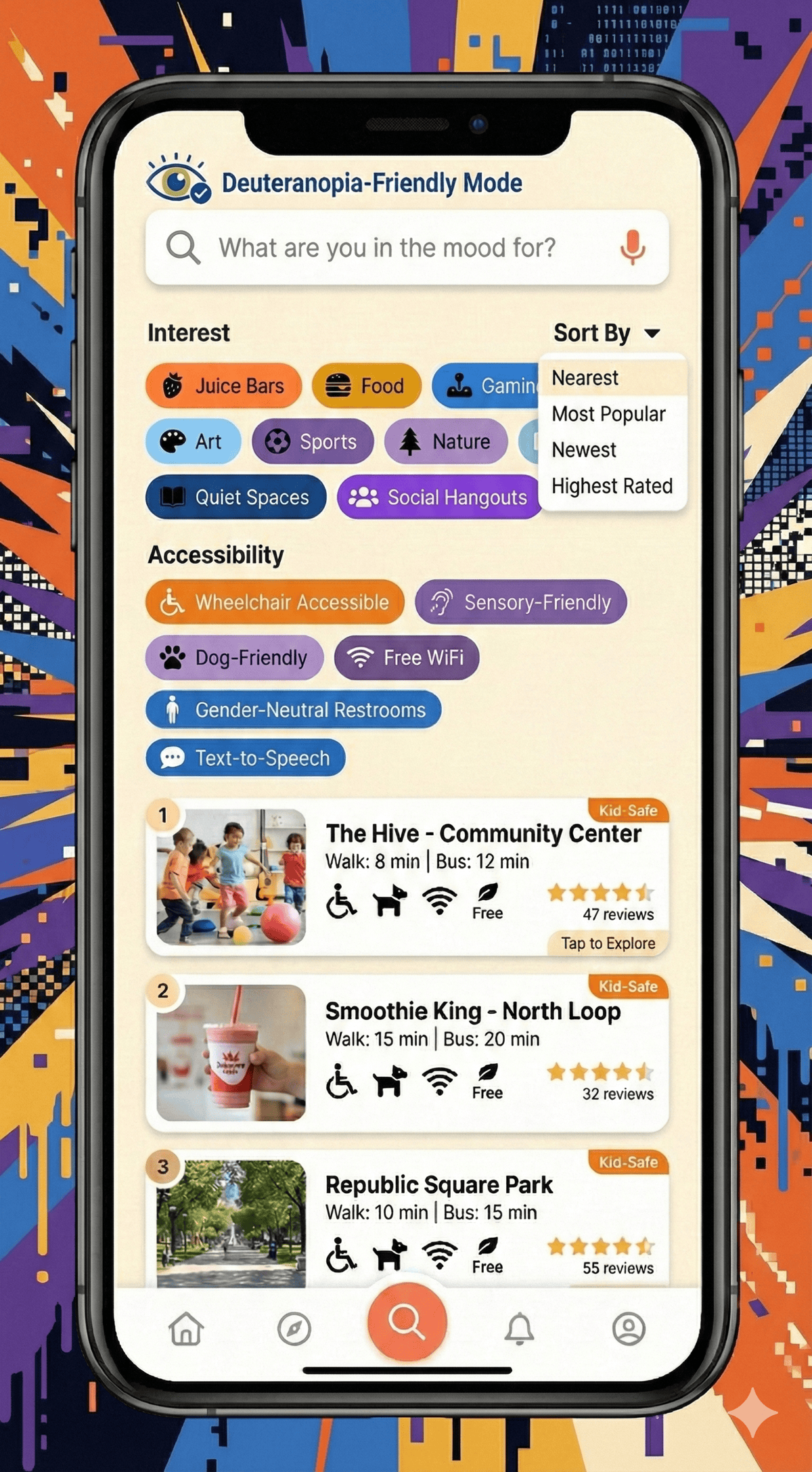
The designers both love Juiceland — it’s close to their school and they can walk there. They wished there was an app that showed them places like it and helped them know what to expect before going. Since they both have dyslexia, they designed EPGo (Explore, Pick, GO!) around the stuff that makes things harder for them: colorblindness, menus with too much text, and that nervous feeling when you don’t know what a new place will be like.
The Problem
Kids want to hang out at cool places after school but don’t know what’s nearby, how to get there, or what to expect. Sometimes there are awesome things happening at the library or rec center, but nobody tells you about them.
What EPGo Does
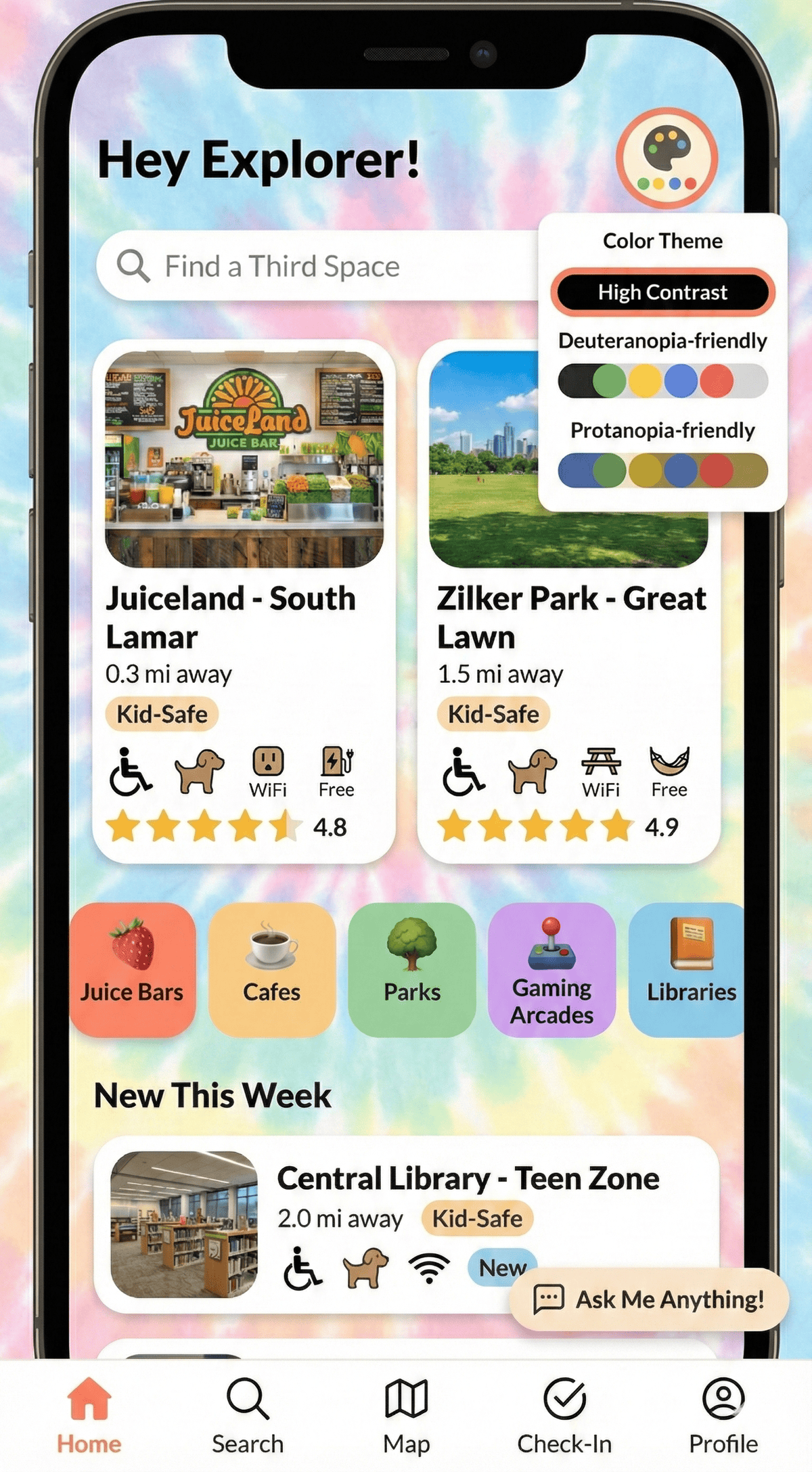
- Pick your colors — colorblind kids can choose the color palette that works best for their eyes
- Pictures instead of text — visual icons for everything so you don’t have to read a bunch of words to figure things out
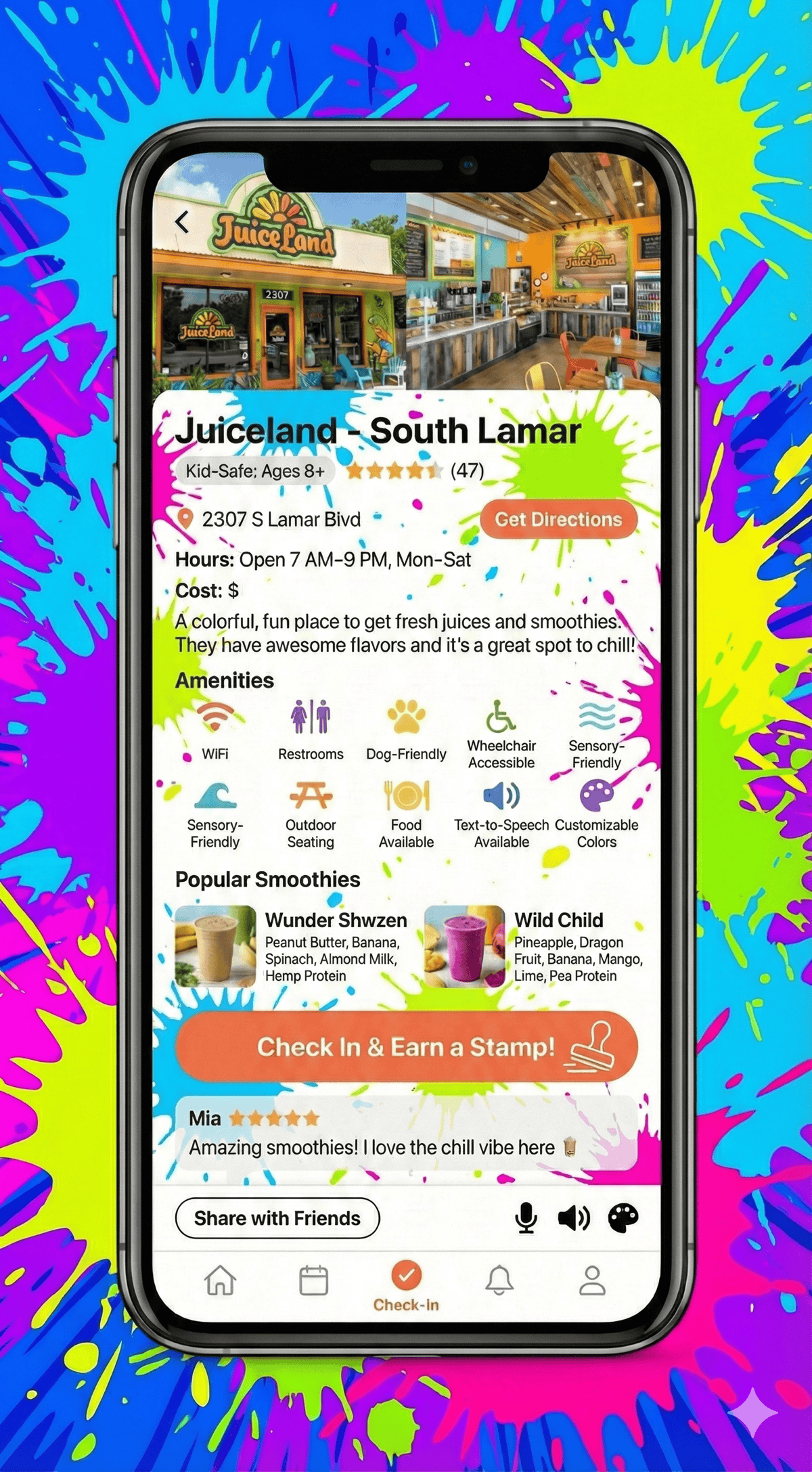
- See what’s popular — preview popular items with ingredients, so you know what to order before you even get there
- Plan your route — get bus or walking directions from school to wherever you’re going
- Talk instead of type — voice-to-text so you don’t have to worry about spelling
- Listen instead of read — the app can read everything out loud
Accessibility Comes First
The designers didn’t add accessibility on top of a regular app — they built the whole thing around it. Every feature is there because it helps kids with dyslexia, colorblindness, or anxiety about new places. As one of them said: “It helps kids have their ideas down.”
Features Up Close
-
Customizable Color Themes: You can switch between color options including high contrast, deuteranopia-friendly, and protanopia-friendly. One designer said: “Sometimes when people are colorblind they can’t really see colors as well. It lets them pick what color helps them best.”
-
Visual Icons: Every place and thing has a picture so you can understand it fast without reading a ton of text.
-
Popular Items Preview: For a place like Juiceland, you can see the most popular smoothies with photos and ingredients — like the Wunder Shwzen (Peanut Butter, Banana, Spinach, Almond Milk, Hemp Protein). It helps you know what to expect so you’re not anxious when you get there.
-
Bus Route Planning: Not everyone has a car. The designers asked, “What if someone wanted to take a bus?” So the app shows you exactly how to get there.
-
Voice-to-Text & Read Aloud: The other designer said: “Sometimes I don’t know how to spell a word so that helps.” And for reading: “Maybe if kids have dyslexia like we do, then it could read to them.”
-
Kid Reviews: Ratings from other kids, not just adults, so you actually know if a place is fun.